Video editing
SaaS Video Editing: How to Create Product Videos That Convert
A practical guide to professional SaaS video editing, product demos, motion graphics, and promotional videos that help software brands communicate their value.
By Ahsan AliPublished 8 min read
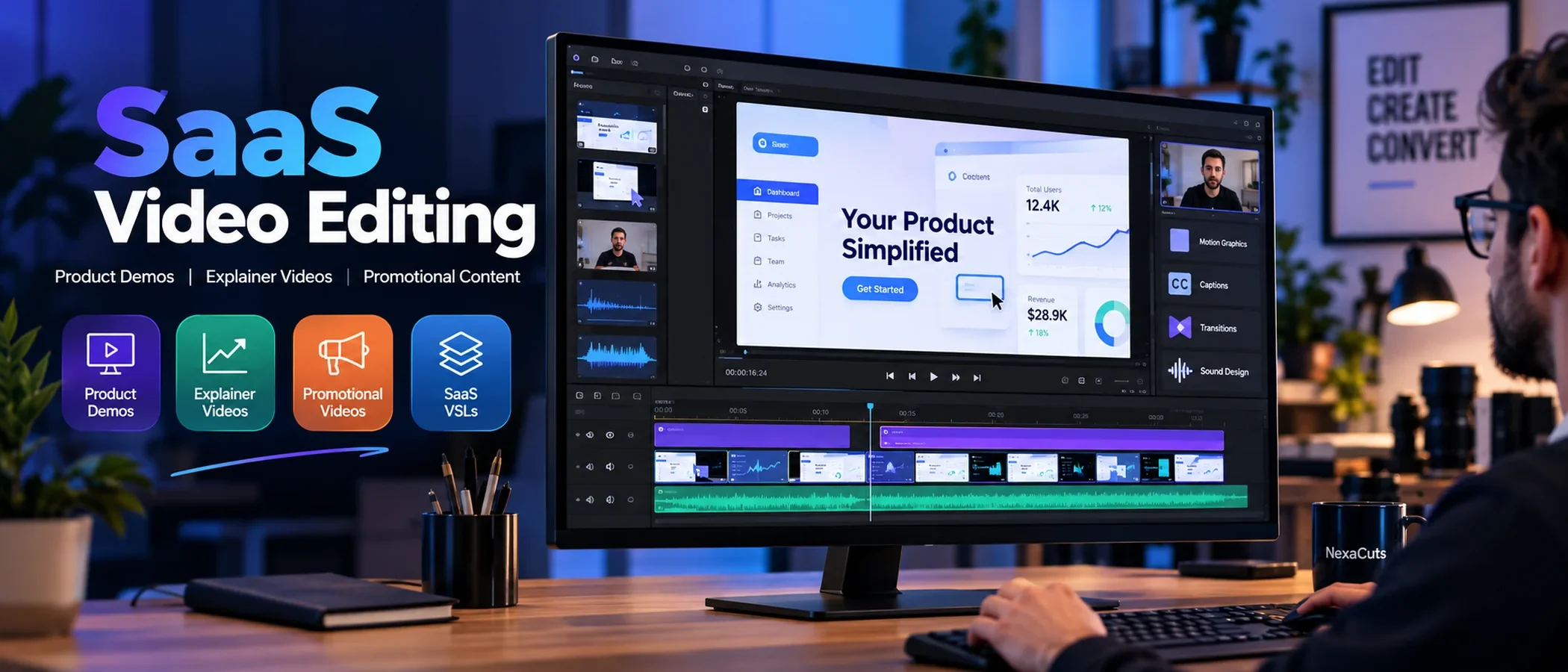
SaaS video editing is the process of transforming software screen recordings, product demonstrations, voiceovers, and motion graphics into professional videos that explain and promote a software product. It helps businesses communicate complex features clearly, build customer confidence, and guide potential buyers toward the next step. Whether you're launching a new SaaS product, updating your website, or creating advertising content, professional editing can make your software easier to understand and more compelling to explore.
Why SaaS Video Editing Matters for Modern Businesses
Building a great software product is one challenge. Helping people understand why they should use it is another.
Your platform might save users hours of work, automate repetitive tasks, or solve an expensive business problem. But if visitors struggle to understand its benefits, they may leave your website before discovering what makes it valuable.
This is where professional SaaS video editing becomes useful.
Instead of relying entirely on screenshots or technical descriptions, a well-produced video can demonstrate the product in action.
For example, imagine a project management tool that automatically assigns tasks and organizes team workflows.
A written explanation might require several paragraphs. A short, carefully edited demonstration can show the entire process, from creating a project to viewing the finished workflow.
Good editing connects product functionality with the outcomes customers actually care about.
What Makes SaaS Video Editing Different From Traditional Video Editing?
Traditional video editing often focuses on footage selection, storytelling, pacing, color correction, and sound.
SaaS video editing includes those fundamentals but adds another critical responsibility: accurately explaining a digital product.
A professional SaaS editor needs to understand how user interfaces work, how customers navigate software, and which features deserve visual emphasis.
Common production elements include:
UI screen recordings: Showing real software features and workflows.
Motion graphics: Explaining processes, integrations, and product benefits.
Animated highlights: Directing attention to important interface elements.
Voiceover synchronization: Matching narration with relevant visuals.
Visual storytelling: Connecting customer problems to software solutions.
Sound design: Supporting actions and transitions without overwhelming the message.
The objective isn't simply to create attractive animations.
It's to make information easier to process.
A video can look impressive and still fail if viewers don't understand what the software actually does.
Five Essential Types of SaaS Videos
Different video formats serve different stages of the customer journey.
Choosing the right format is more important than applying the same editing style to every project.
1. SaaS Product Demo Videos
Product demo videos show potential customers how software works.
They typically feature actual product recordings, carefully timed interface highlights, and narration explaining important actions.
An effective product demo should focus on a specific problem rather than attempting to demonstrate every available feature.
For example, a CRM product could show how users capture leads, organize their sales pipeline, and track conversations.
Best for: Product pages, sales presentations, demo requests, and software launches.
2. SaaS Explainer Videos
An explainer video introduces a product by answering three essential questions:
What problem does it solve? How does it work? Why should customers care?
These videos frequently combine animation, product demonstrations, voiceover narration, and branded typography.
The best explainers simplify the message without oversimplifying the product.
Best for: Homepages, startup launches, brand awareness, and introductory campaigns.
3. SaaS Promotional Videos
Promotional videos focus on generating interest and encouraging a specific action.
They often use faster pacing, strong opening visuals, product-focused storytelling, and concise messaging.
For example, a SaaS promotional video for an AI scheduling tool might show the frustration of managing appointments manually before introducing a simpler automated workflow.
Best for: LinkedIn campaigns, YouTube advertisements, paid social media, and product launches.
4. Video Sales Letters (VSLs)
A video sales letter uses a structured message to explain a problem, introduce an offer, establish credibility, and encourage action.
For SaaS companies, VSLs can incorporate customer pain points, real product demonstrations, relevant evidence, and clear calls to action.
Professional VSL editing prioritizes message clarity, pacing, and visual support over unnecessary effects.
Best for: Sales funnels, conversion-focused landing pages, and high-consideration software offers.
5. SaaS Feature Announcement Videos
When software companies release new features, customers need a quick explanation of what changed.
A feature announcement video can show the update, explain its practical benefits, and demonstrate how to use it.
Best for: Product updates, email campaigns, customer onboarding, and social media announcements.
How to Create a Professional SaaS Product Video
Successful SaaS video production starts with understanding the customer, not choosing transitions.
Here is a practical production process.
Step 1: Understand the Product and Audience
Before editing, identify the intended viewer.
Are you communicating with startup founders, marketing teams, developers, or enterprise buyers?
Different audiences have different expectations.
A technical audience may appreciate deeper functionality, while a business decision-maker may want to understand the operational benefits first.
Step 2: Develop a Clear Script
A strong script gives every scene a purpose.
One useful structure is:
Problem → Product Solution → Demonstration → Benefit → Call to Action
This isn't a rigid formula. The sequence should adapt to the product and the viewer's level of awareness.
Avoid spending the opening 20 seconds introducing the company when viewers are still trying to understand what the software does.
Step 3: Record the Actual Product Interface
Real UI footage is one of the most useful assets in SaaS marketing.
Capture the important workflows with readable text, consistent framing, and clean sample data.
Avoid showing outdated interfaces or features that aren't actually available.
Accuracy builds confidence.
Step 4: Add Purposeful Motion Graphics
Motion graphics can explain ideas that are difficult to communicate through a screen recording alone.
For example, animations can illustrate:
Data moving between integrated applications.
Tasks progressing through an automated workflow.
Multiple team members collaborating inside a platform.
Before-and-after comparisons of an existing process.
These animations should support the explanation rather than compete for attention.
Step 5: Refine the Pacing and Sound Design
Good pacing gives viewers enough time to understand important details.
A simple benefit statement may need only a few seconds. A complex product workflow may need longer.
Sound design should remain balanced and professional.
Subtle interface clicks, carefully chosen transitions, and clear voiceover audio often create a stronger experience than constant dramatic effects.
Step 6: Deliver the Right Formats
One video may need multiple versions.
A website explainer might require a horizontal 16:9 export, while a paid social campaign could need vertical 9:16 versions.
Each format should be reviewed for readable UI details, caption positioning, pacing, and calls to action.
How Long Should a SaaS Video Be?
There is no universal ideal video length.
The best duration depends on the content, audience, and intended action.
These ranges are useful starting points:
Video Format | Suggested Length |
|---|---|
Short promotional ad | 15–45 seconds |
Website explainer | 45–90 seconds |
SaaS product overview | 60–120 seconds |
Feature demonstration | 1–3 minutes |
In-depth tutorial | As long as necessary |
Video sales letter | Based on the offer and sales message |
These are production guidelines, not guaranteed conversion benchmarks.
A 30-second video can fail if it doesn't communicate anything useful. A three-minute demonstration can be valuable if every section answers an important customer question.
Focus on relevance rather than duration alone.
Common SaaS Video Editing Mistakes to Avoid
Even a visually impressive video can underperform when the production choices don't support the message.
Too Many Animations
Constant movement can distract users from the software itself.
Use animation to improve clarity, highlight relationships, and explain meaningful changes.
Generic Stock Footage
Stock visuals may occasionally support a message, but they shouldn't replace the actual product experience.
Potential customers generally want to see what they're considering buying.
Unclear Product Demonstrations
Rapid zooming, tiny interface text, and poorly timed cursor movements make workflows difficult to follow.
Prioritize readability over visual complexity.
Weak Opening Seconds
A slow introduction can lose viewers before the product's value becomes clear.
Begin with a recognizable problem, relevant outcome, or compelling product demonstration.
No Clear Call to Action
Viewers should understand what to do after watching.
Depending on the goal, that could mean starting a free trial, requesting a demo, visiting a product page, or contacting the sales team.
How Much Does SaaS Video Editing Cost?
The cost of professional SaaS video editing depends on the scope of production.
A simple product walkthrough using supplied screen recordings and narration will usually require less work than a custom promotional video involving scripting, storyboard development, and advanced motion graphics.
Factors that affect pricing include:
Video duration and complexity
Scriptwriting and planning
Product recording requirements
Custom animation
Voiceover and sound design
Revisions and feedback rounds
Additional platform formats
Multilingual versions
When comparing video editing agencies, look beyond the initial quote.
Ask to see relevant software video projects, understand the revision process, and confirm exactly which deliverables are included.
The most suitable production partner isn't necessarily the cheapest. It's the one capable of communicating your product accurately and effectively within your budget.
How to Choose the Right SaaS Video Editing Agency
Not every video editor specializes in software marketing.
Before hiring, evaluate whether the agency understands product communication, user interfaces, and business-focused storytelling.
A strong SaaS video editing partner should demonstrate:
Experience creating software product videos.
Clear and readable product demonstrations.
Professional motion graphics and sound design.
Consistent visual branding.
Understanding of the target audience.
A structured production and revision workflow.
For brands seeking help with product demonstrations, explainers, or promotional content, explore NexaCuts video editing services.
The right editing approach depends on your product, audience, and marketing objective.
How to Measure the Success of Your SaaS Videos
Video views can indicate reach, but they don't necessarily indicate business success.
Choose performance metrics based on the video's purpose.
For an awareness campaign, relevant metrics may include reach, watch time, and engagement.
For a product demo, you might measure completion rate, demo requests, or subsequent product-page interactions.
For a conversion-focused campaign, evaluate trial signups, qualified leads, and customer acquisition where attribution data is available.
Testing different openings, video lengths, and calls to action can reveal which approaches work best for your audience.
A beautiful video is an asset. A video that helps achieve a measurable business objective is an even more useful one.
Final Thoughts: Better Product Communication Starts With Better Video
Your SaaS product doesn't need more visual noise.
It needs a clearer way to communicate its value.
Professional SaaS video editing combines accurate product demonstrations, thoughtful motion graphics, effective pacing, and purposeful storytelling.
Whether you're preparing a product launch, explaining a new feature, or improving your sales funnel, the right video can make it easier for customers to understand what you're offering.
Looking for professional SaaS video editing?
At NexaCuts, we create SaaS product videos, VSLs, and promotional content for brands that want to communicate their products with clarity and professional visual storytelling.
Explore our video production services or contact NexaCuts to discuss your next project.
FAQ
What is SaaS video editing?
SaaS video editing involves combining software screen recordings, voiceovers, motion graphics, and other visual assets to create professional videos that explain or promote a software product.
Why do SaaS companies need product videos?
Product videos help potential customers understand features, see workflows in action, and evaluate whether a software solution meets their needs.
What is the difference between a SaaS explainer and a product demo?
An explainer introduces the problem, solution, and main benefits of software. A product demo focuses on showing how the software actually works.

Written by Ahsan Ali
Founder & lead editor, NexaCuts. Edits and produces SaaS product videos, VSLs and promotional films for brands in the US, UK and Europe.