SaaS product videos
How Much Does a SaaS Explainer Video Cost in 2026?
Real 2026 pricing from video production studios, freelancers, and agencies—plus what affects the cost and how to choose the right budget for your SaaS business.
By Ahsan AliPublished Updated 5 min read
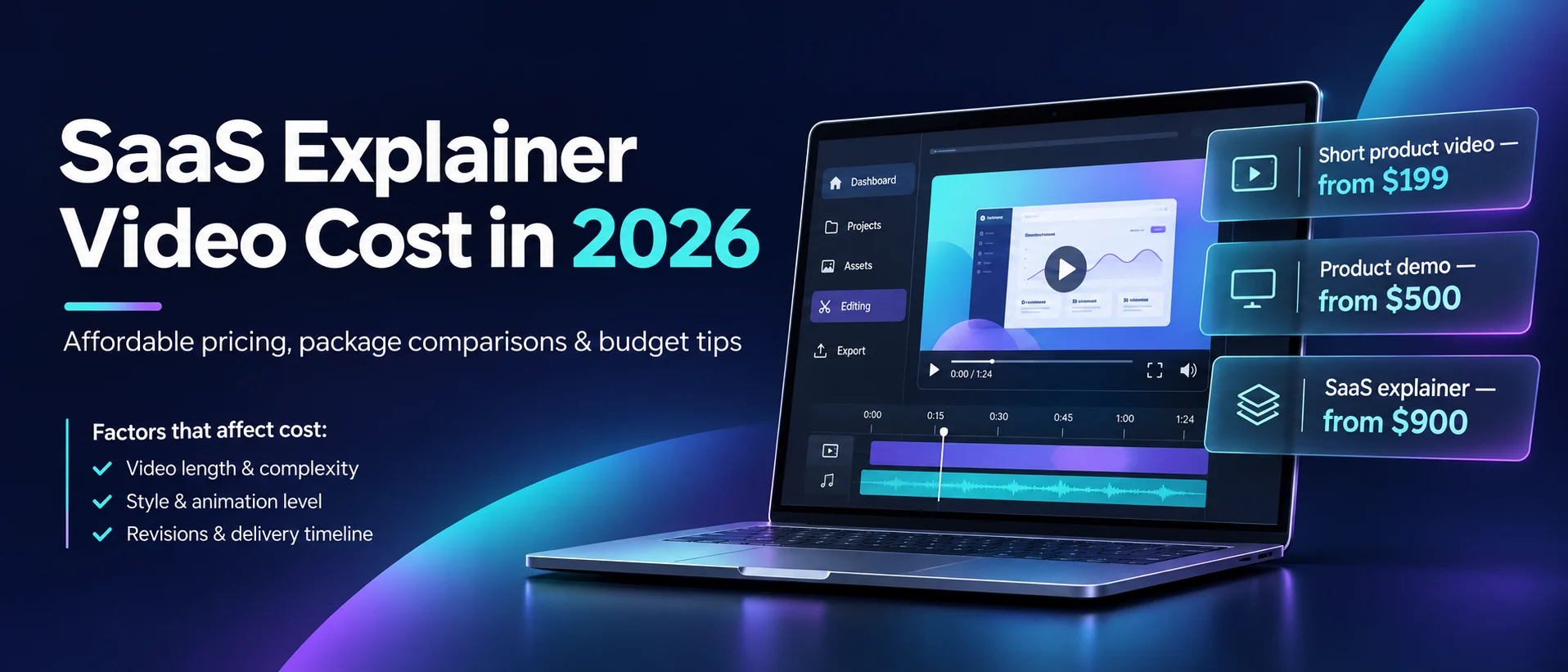
In 2026, a professionally produced 60-second SaaS explainer video generally costs around $3,000–$10,000 from a smaller or specialist studio, while full-service custom productions often range from $8,000–$25,000 or more. Freelancers and simpler video formats can cost considerably less, but the final price depends on animation complexity, scriptwriting, product demonstrations, and what the production package includes. Published 2026 pricing from companies including Vidico, ContentBeta, Creamy Animation, and Yum Yum Videos shows just how widely explainer video costs can vary. For SaaS founders and marketing teams, the challenge isn't simply finding the lowest price. It's understanding which production approach will communicate the product effectively without wasting the budget. This guide breaks down real market prices, explains what drives production costs, and helps you decide how much to invest in your next SaaS explainer video.
How Much Does a SaaS Explainer Video Cost in 2026?
SaaS explainer video costs depend on video length, animation complexity, available assets, and the services included.
Some providers advertise short product videos for approximately $200–$400. More comprehensive product demonstrations and customized explainers may cost $500–$2,000 or more.
These are examples of accessible production options, not a universal industry price range.
Here's how published packages compare.
Production option | Example starting price | Typical use |
|---|---|---|
Short SaaS product video | $199 | Homepage or feature announcement |
Freelancer explainer | $250 | Short product presentation |
Product demo walkthrough | $500 | Demonstrating software features |
SaaS explainer with motion graphics | $900 | Homepage product explanation |
Advanced UI animation package | $1,600 | Detailed product storytelling |
The prices above are drawn from advertised packages by Overnight Cut, an Upwork freelancer, and Pixamo Studio. They aren't quotes from NexaCuts.
The important takeaway is simple: professional SaaS video production doesn't have to begin with a large agency budget.
Real Affordable SaaS Video Pricing Examples
Looking at actual advertised packages helps businesses understand what different budgets may cover.
Overnight Cut — $199 Product Video
Overnight Cut advertises a 20–30-second product video for $199.
Its published package includes a storyboard, voiceover, captions, multiple aspect ratios, and two revision rounds.
The offer focuses on a single product message rather than a comprehensive software walkthrough.
Freelance SaaS Video Editing — From $250
An Upwork service listing advertises a $250 starter package for SaaS product demos and explainers.
Its published tiers also include higher-priced packages with additional production options.
This demonstrates how a well-defined project can be commissioned without engaging a large creative agency.
Pixamo Studio — Product Demos From $500
Pixamo Studio advertises product demo walkthroughs starting at $500.
Its SaaS explainer package starts at $900, while a more comprehensive package including UI animation and advertisement cutdowns starts at $1,600.
The difference illustrates why production scope matters more than a single advertised headline price.
Explore the production packages.
What Makes a SaaS Explainer Video More Expensive?
The biggest cost differences usually come from how much original production work a project requires.
1. Video Length
Short videos typically require fewer scenes and less editing.
A 30-second product introduction can be an effective choice when the main goal is to communicate one benefit.
A longer walkthrough may be necessary when viewers need to understand several features.
2. Animation Complexity
Simple interface highlights, typography, and cursor animations are generally less demanding than detailed custom character animation.
For many SaaS businesses, real product footage combined with clean motion graphics can provide a professional result without requiring an entirely animated video.
3. Scriptwriting and Storyboarding
If your company already has a clear script and production brief, the editor may need less preparation time.
A project requiring original messaging strategy, multiple script concepts, and extensive storyboarding involves additional work.
4. Voiceovers and Sound Design
Some packages include narration and basic music.
Others charge separately for professional voice actors, licensing, additional languages, and custom sound design.
5. Revisions and Additional Formats
Extra revision rounds, social media versions, and product updates may increase the total project cost.
Agree on the deliverables before production starts.
How to Create a SaaS Explainer Video on a Budget
You don't need to sacrifice clarity to control production costs.
The key is deciding which production elements actually improve the viewer's understanding.
Use Your Real Software Interface
If your SaaS product already has a polished dashboard, real screen recordings can form the foundation of the video.
An editor can add smooth zooms, cursor highlights, clean transitions, captions, and motion graphics to make the demonstration easier to follow.
This approach is especially useful for product demos and feature announcements.
Keep the Script Focused
Instead of introducing ten different features, focus on the problem your software solves.
A concise structure might include:
Introduce the customer problem.
Show the relevant software feature.
Demonstrate how it works.
Explain the benefit.
End with one clear call to action.
A focused script can reduce unnecessary scenes and production time.
Prepare Your Assets Before Editing
Provide the editor with your logo, brand colors, script, voiceover, screen recordings, and visual references.
Clear inputs reduce avoidable revisions and help the editor understand your expectations.
Start With One Video
A startup doesn't always need a complete advertising campaign immediately.
Begin with one useful homepage explainer or product demonstration.
Once the main video is approved, consider adapting it into shorter content for LinkedIn, YouTube, or paid advertising.
SaaS Product Demo vs. Animated Explainer: Which Is More Affordable?
A screen-recorded product demo can often be the more affordable option.
It uses the actual product interface as the primary visual material, reducing the need to create every scene from scratch.
An animated explainer may involve custom illustrations, storyboard development, motion graphics, and more extensive design work.
However, the best choice depends on your objective.
Video type | Main benefit | Budget considerations |
|---|---|---|
Product demo | Shows actual software functionality | Can reuse existing screen recordings |
Animated explainer | Simplifies complex concepts | Original artwork and animation add work |
Hybrid SaaS video | Combines real UI with motion graphics | Balances clarity and visual polish |
Promotional video | Communicates one strong marketing message | Can be short and focused |
For startups launching a software product, a simple product demo or hybrid video is often worth considering before investing in extensive custom animation.
When Should You Spend More on a SaaS Video?
An affordable production isn't always the best choice for every situation.
A higher budget may make sense when:
You're launching a major product campaign.
Your software requires detailed visual explanations.
You need custom motion graphics and advanced animation.
Several audiences or languages need different versions.
The video will be used across multiple high-visibility channels.
The important question is whether the additional production work supports a clear business objective.
How to Choose an Affordable SaaS Video Editing Service
Price matters, but it shouldn't be the only consideration.
Before hiring an editor or production team, review their existing work and make sure they can communicate software features accurately.
Ask about:
Examples of SaaS product videos.
Whether scriptwriting is included.
The use of real UI recordings.
Custom motion graphics.
Voiceover and sound design.
Revision rounds.
Video length and export formats.
Final commercial usage rights.
An inexpensive video that doesn't explain your product properly may offer less value than a slightly more expensive production with a clear message.
Final Thoughts: Professional SaaS Videos Can Be Affordable
Creating an effective SaaS explainer video doesn't require the largest production budget.
The goal is to communicate your software's value clearly.
Start with a focused message, choose the right video format, and work with an editor or production team that understands your product.
A carefully planned video can help customers understand your solution without unnecessary production complexity.
Need an Affordable, Professional SaaS Product Video?
At NexaCuts, we specialize in SaaS product videos, promotional video production, VSL editing, and professional video editing.
Whether you need a straightforward software walkthrough or a more polished product explainer, we can discuss an approach based on your goals, available assets, and budget.
Share your product, video references, and estimated budget with NexaCuts to receive a project-specific quote.
Sources
Published package prices checked November 2026. Rates and availability may change.
FAQ
How much does a SaaS explainer video cost in 2026?
Some providers advertise short SaaS explainers and product videos starting around $200–$400. More comprehensive productions with custom motion graphics, scripting, and additional deliverables can cost $500–$2,000 or considerably more.
Can I get a SaaS explainer video for under $500?
Yes. Published packages from smaller providers and freelancers show options under $500. However, the video may have a limited duration, revision allowance, or production scope.
Is a product demo cheaper than an animated explainer?
Often, yes. Product demos can reuse existing software recordings, while fully animated explainers require more original visual production. Complex demos can still cost more when extensive UI animation is involved.
Do I need an expensive video production agency?
Not necessarily. Startups with a clear product message may benefit from a smaller studio, skilled freelancer, or specialist editing team.
What is the best SaaS video format for startups?
A short product demo or hybrid explainer is often a practical starting point. It can show real product features while using motion graphics to communicate the main benefits.

Written by Ahsan Ali
Founder & lead editor, NexaCuts. Edits and produces SaaS product videos, VSLs and promotional films for brands in the US, UK and Europe.